

Gaming Bar
Discover how the Gaming Bar controller tool optimizes your Windows setup. Read our review of its performance overlays, CPU controls, and AMD integrations.
Take Control of Your PC Directly From Your Gamepad
Imagine navigating your entire PC gaming setup without ever having to reach for a keyboard or mouse. The Gaming Bar controller tool by Play and Build aims to deliver exactly that experience. Developed specifically for the Windows platform, this helper application bridges the gap between console-style comfort and deep PC hardware customization, allowing players to manage critical performance settings directly through their active gamepad or game controller.
Key Features of the Gaming Bar Controller Tool
This utility is packed with specialized configurations designed to streamline your gaming sessions. Rather than alt-tabbing to various hardware monitors, the software brings several advanced optimization suites under one unified, controller-friendly interface:
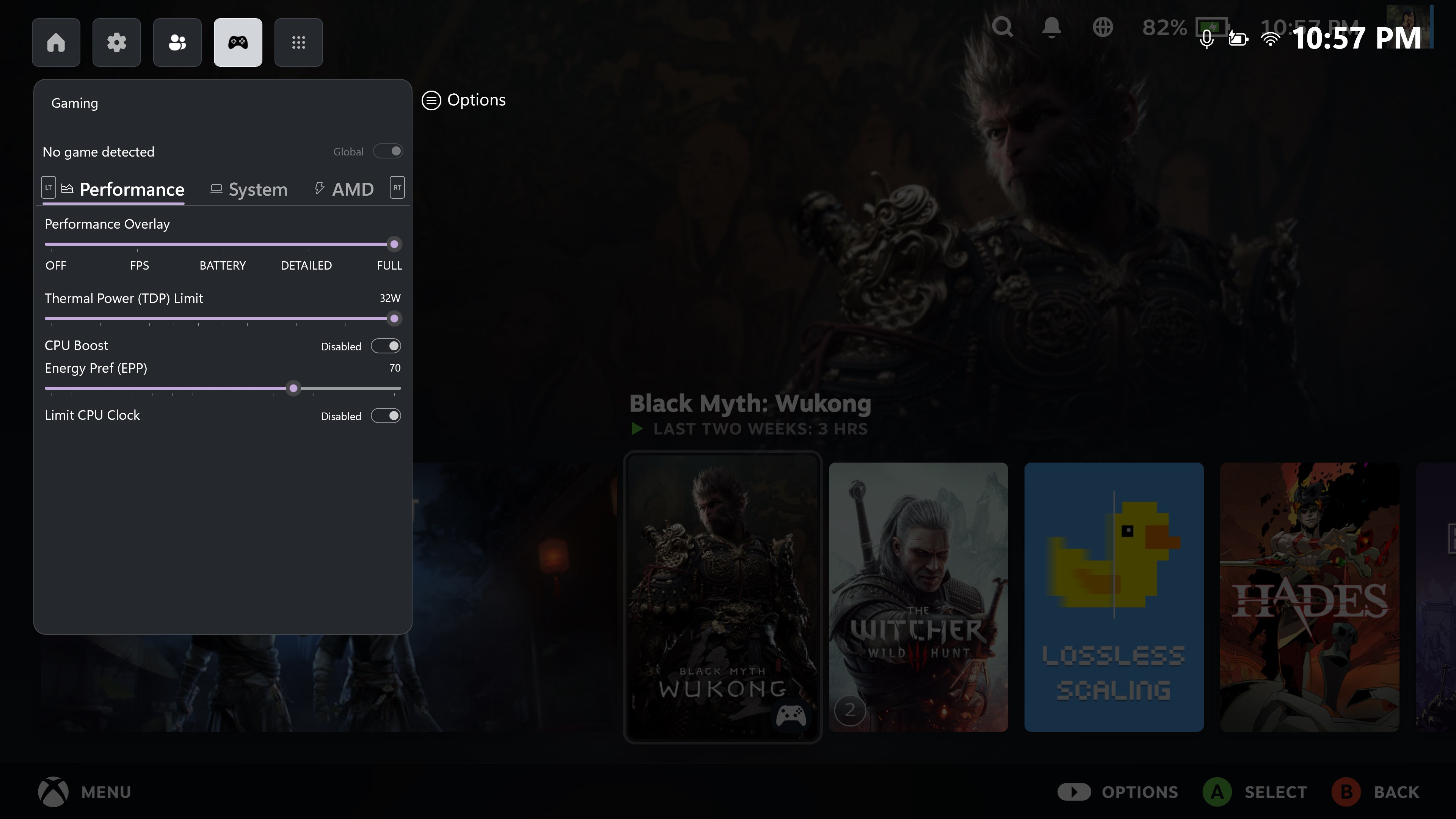
- RivaTuner Statistics Server Integration: Toggle and view a highly accurate real-time performance overlay to monitor frame rates and hardware strain mid-game.
- Per-Game Configuration Profiles: Save specific performance profiles tailored to individual titles, ensuring your system adapts automatically when a game launches.
- Granular CPU Customization: Adjust CPU performance targets, enable or disable CPU Boost, modify the Energy Performance Preference (EPP), or set strict clock speed limits to manage thermals.
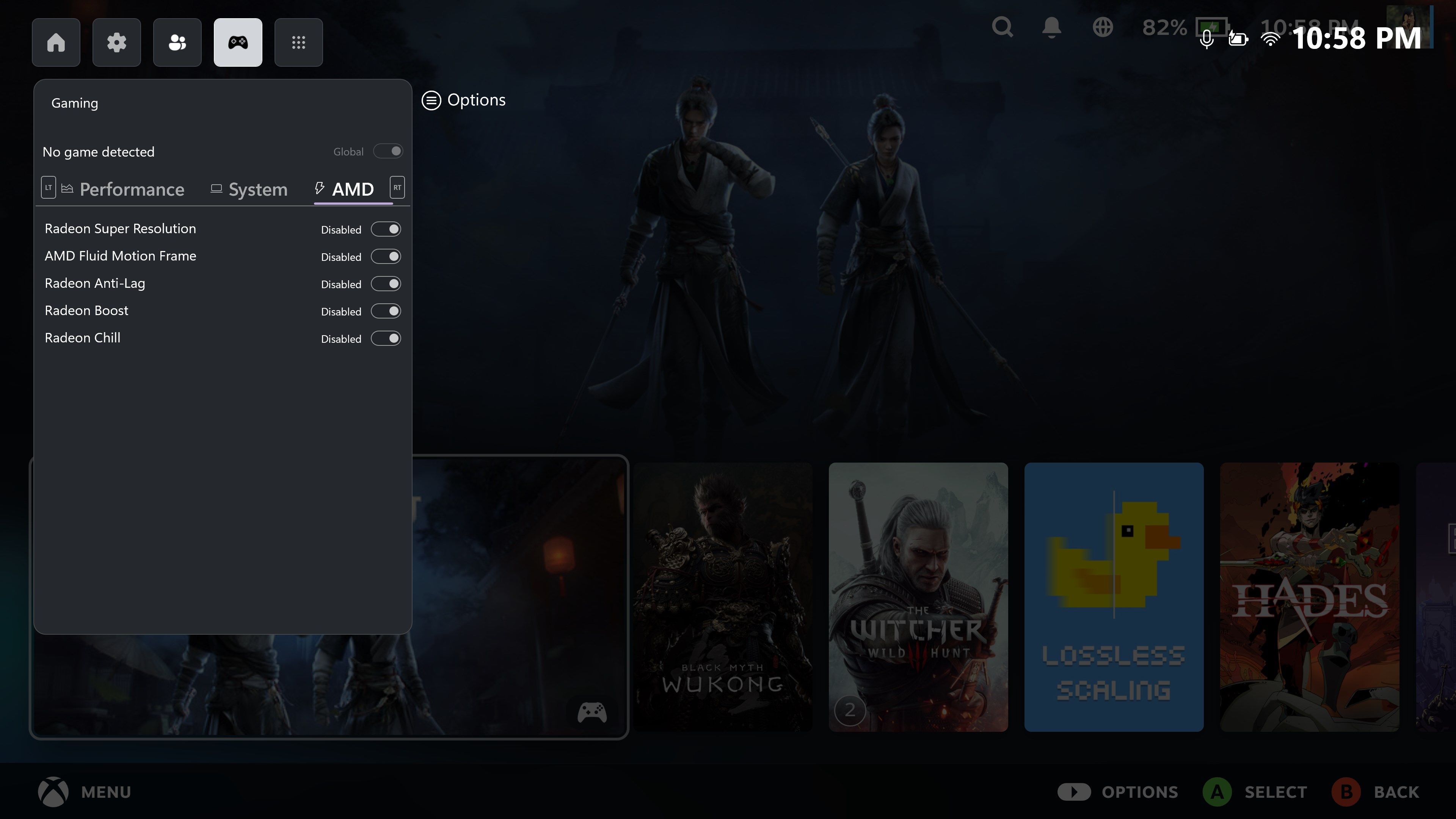
- Direct AMD Radeon Settings: Instantly toggle advanced AMD technologies including Radeon Super Resolution (RSR), AMD Fluid Motion Frames (AFMF), Radeon Anti-Lag, Radeon Boost, and Radeon Chill.
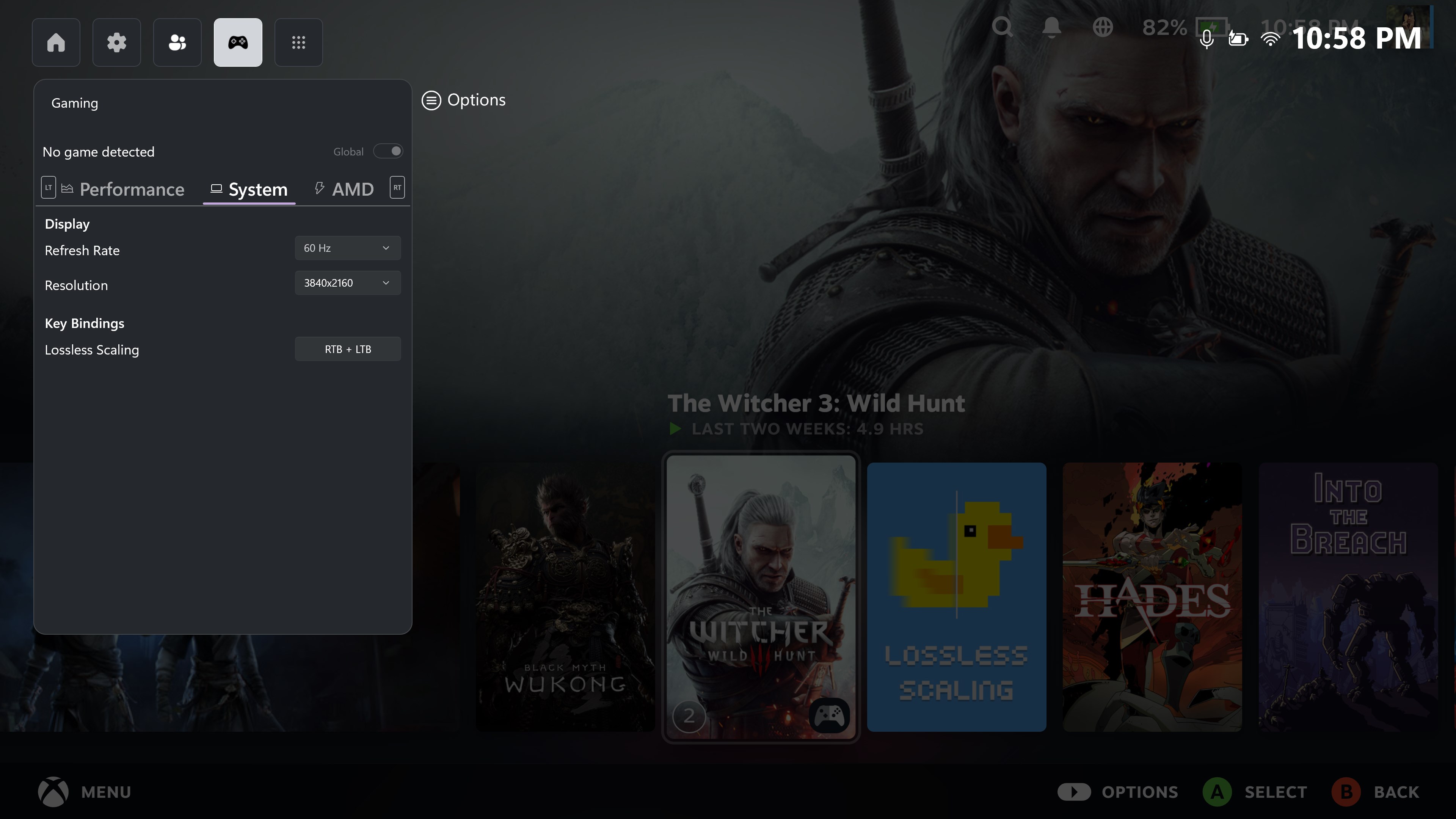
- Lossless Scaling Hotkeys: Bind custom gamepad button combinations to trigger Lossless Scaling features on the fly.
Who Is This Helper Utility For?
The Gaming Bar controller tool is an exceptional match for handheld PC gamers, living room console-style setups, or anyone who prefers a controller-first approach to Windows gaming. By eliminating the friction of navigating traditional desktop menus, it keeps you fully immersed in your gameplay while still offering the technical control that PC enthusiasts demand.
Optimizing Your Gaming Setup
Whether you want to squeeze out extra frames using AMD's suite or keep your CPU temperatures low during intensive sessions, having these tools mapped directly to your gamepad changes how you interact with your machine. It turns a standard controller into a comprehensive system command center.
To learn more or to try out these configuration features yourself, head over to the official Microsoft Store page to explore the Gaming Bar controller tool on your Windows device.